


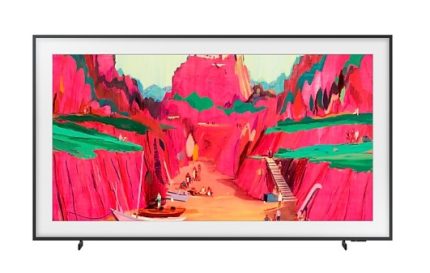
Samsung 65″ The Frame Pro 4K Vision AI Smart TV (2025) QA65LS03FWKXXM(Whatsapp :010-7166281)
Highlights

Samsung Vision AI
Samsung Vision AI meets The Frame Pro
Features
Your Art Gallery On TV


Key features at a glance


Design


Designed to blend in seamlessly like a real picture frame
Modern Frame Design with Wireless One ConnectWith a sleek, minimalist design, The Frame Pro is a masterpiece in itself. It also connects wirelessly to other devices, so you can adjust your setup and rearrange your room to your liking.


Reimagine your space with more freedom
Wireless One Connect
Simplify your interior design with an omnidirectional wireless solution. Plug your devices into the Wireless One Connect, which can seamlessly transmit signals to The Frame Pro from any direction — even when placed up to 10 meters away from the TV.
* 4K 144Hz uninterrupted wireless transmission is possible when the TV and Wireless One Connect are placed within a distance of 10 meters (or 33 feet) in the same space. Wireless performance may vary depending on the environment (including type of walls and furniture).* Operating distance can vary depending on the usage environment.* Wireless One Connect may not work well if there is an obstruction, such as a wall, hindering its connection to the TV within your home.* Wireless One Connect may not work properly if placed inside a closed metal cabinet.* TV and Wireless One Connect require a separate power connection.

A flush fit to the wall
Slim Design / Slim Fit Wall Mount
With a slim profile, The Frame Pro can be mounted near flush to the wall to look like a real painting.
* The distance between the wall and TV may vary depending on the wall type and installation method.

Tailor to your space with customizable bezels
Customizable FrameStyle The Frame Pro to your taste with customizable bezel frames. Find the color that best complements your space or the artwork on display among the available options. Then install with ease by snapping the sleek magnetic bezel onto the sides of your TV.
* Customizable Frame sold separately.* Supported Customizable Frame lineup may vary by country.

Find the right height for your space
Height Adjustable Stand
The Frame Pro can easily be made to fit your home setup. With the adjustable TV stand design, you can set the TV to your preferred height and make room for a soundbar and other devices as needed.


* Supports The Frame Pro 43-85" models. Height Adjustable Stand is not supported on The Frame 32" model.* The height adjustment range is 25 mm.* Installation layout may vary depending on TV size and soundbar type.* The image depicts The Frame Pro 85" model.
Art


TV when it's on. Art when it's off.
Art Mode with 370+ free pieces available each yearWhen turned off, The Frame Pro transforms into a showcase of art instead of a black screen. Find the right piece to display from the Samsung Art Store’s wide selection of artwork from renowned galleries, including 370+ free pieces available each year.
* Requires Wi-Fi and login to Samsung Account. A subscription is required to enjoy all the art from the Art Store.* Offers 30 pieces of artwork refreshed monthly through Art Store Streams and supports 70+ complimentary pieces of ambient content throughout the year.

World-famous galleries in your living room
Art Store
Curate your personal art gallery and display it at home. With over 3,000 options from world-famous artists and institutions in the Art Store, you can easily find the right pieces to show off your style. Plus, you’ll get the first 2 months free if you sign up for a monthly subscription.
* The ‘2 months free’ offer applies only when signing up for a paid monthly subscription.

Access 370+ free artwork annually
Art Store Streams
Discover new favorite pieces and display them for free. With Art Store Streams, you get a carefully curated collection of 30 artwork from leading artists and institutions every month. The selection is constantly updated based on a certain theme, so it's easier than ever to explore the world of art.
* Availability may vary by country.* The time at which the 30 artwork are delivered each month may vary by region.* The timing and frequency at which the artwork are delivered may vary by region.* The number of free artwork delivered is subject to change without notice.

Where your artistic journey begins
Art Home
Expand your creative palate with ease and convenience. Dive into expert art curations, regularly updated so you can constantly discover more. Art Home is more than just a gallery — it’s your personal gateway to a world of creativity and inspiration.
* Art Home UI may vary by region and is subject to change without notice.* Though the curations are updated regularly, the updates for the selection of available artwork may vary.* Studio Stand sold separately.

Frame your most-loved moments
My Photo


* Wi-Fi, Bluetooth or other Internet connection, compatible Android or iOS device and SmartThings app required.
You can easily upload and exhibit your own photos or a new family portrait from Google Photos in your home on your TV and Smart Display. Simply send your photos to The Frame Pro via SmartThings for easy display.


You can easily upload and exhibit your own photos or a new family portrait. Simply send your photos on your phone or cloud storage apps like iCloud Photos to The Frame Pro via SmartThings for easy display.


Picture Quality


Elevate your TV viewing with brilliant visuals
Artful Picture Quality with Neo QLEDImmerse yourself in superb Neo QLED picture quality when watching TV. Quantum Mini LEDs combined with real Quantum Dot technology bring every image to life on your screen with brilliant color, incredible depth and ultra-precise contrast.


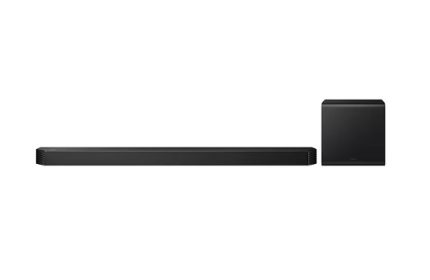
SAMSUNG Q-series Soundbar HW-QS700F 3.1.2ch Subwoofer (2025) HW-QS700F/XM(Whatsapp “010-7166281)
Features


Optimized surround sound no matter how you place it
* Roon service requires the purchase of a separate device or app.

Key features at a glance


Convertible Fit
Find the fit that works for you
With a built-in gyro sensor, this soundbar can detect its setup position and automatically optimize sound. Whether mounted on a wall or placed on a tabletop, you'll consistently get Dolby Atmos audio quality.


* The built-in gyro sensor automatically detects the soundbar position (wall-mounted or tabletop) and changes the speaker unit’s role to perform same quality 3.1.2ch surround sound.
True 3.1.2ch Sound
Captivating sound that brings entertainment to life
Complete your listening experience with an immersive soundbar that features 3 front, 1 subwoofer and 2 up-firing channels. Plus, it comes with a separate compact 8-inch subwoofer for extra rich bass.


* 3.1.2ch (3 front and surround channels, 1 subwoofer channel and 2 up-firing channels). 6.5” active unit and 8” passive radiator-applied wireless subwoofer included.


Convertible Fit


New Subwoofer
Wireless Dolby Atmos
Built-in cinematic sound
Surround yourself in ultimate 3D sound. With Dolby Atmos wirelessly integrated into your soundbar, you can hear every distinct beat and pulse above and around you, just like the movies.


* Wireless Dolby Atmos transmission via Wi-Fi, works with 2022-2025 Samsung TVs. Dolby Atmos source content required.
Q-Symphony
TV and Soundbar orchestrated in harmony
With Q-Symphony, AI separates voice and background sounds for playback through the optimal channel. Now you get crisper dialog and more immersive 3D surround sound, playing through your TV speakers and soundbar in complete synergy.


* Q-Symphony requires a compatible 2022-2025 Samsung TV (BU8000 and above for 2022 models, CU7000 and above for 2023 models, DU7000 and above for 2024 models, U8000F and above for 2025 models, and 2022-2025 models of The Frame).
SpaceFit Sound Pro
Sound calibrated for your space to perfectionEnjoy stunning sound that's tuned to your room. The soundbar analyzes the space and adjusts the audio accordingly — even optimizing bass — for maximum clarity and immersion.


SpaceFit Sound Pro only works with certain 2021-2025 Samsung TVs (Q7 and above for 2021-2024 models, Q8FA and above for 2025 models, and 2021-2025 models of The Frame).
Adaptive Sound
Sound optimized for each sceneGet the optimal listening experience for each scene. Your soundbar recognizes the type of content you’re watching and automatically adapts audio settings to produce clear voices and detailed sounds.


A TV cycles through different scenes, including a chat between two women, a sports game, a music-related scene and a cinematic shot of a spaceship taking off. With each scene, the soundbar installed underneath the TV plays a different level of volume, indicated by a fluctuating audio bar.
Game Pro mode
Be a part of the game with dynamic soundDive straight into the gaming action in vibrant 3D sound. Your soundbar automatically adjusts the audio when it detects a console connected to your Samsung TV — also optimizing for the type of game when playing via Samsung TV's Gaming Hub.


* Sound optimization in Samsung Gaming Hub may vary by region and TV model.* Game console sold separately. Compatible devices may vary.
Moderate Bass
Enjoy rich bass, even at nightYour soundbar is designed to consistently deliver powerful bass. Even when the subwoofer is muted, the main soundbar still provides rich bass for your viewing pleasure.


Wireless Surround Sound Compatible
Expand your surround sound and get more featuresThe Wireless Rear Speaker Kit lets you expand your soundbar to a surround sound system for an enhanced cinematic experience. Plus, you can enjoy more sound modes with rear speakers, like Private Rear Sound and Sound Grouping.


A man watches TV. A soundbar and rear speakers give off sound waves of various types, traveling in different directions.


* Samsung Wireless Rear Speaker Kit (SWA-9500S) sold separately and requires power cords to connect to right and left rear speakers.
Voice Assistant & Music Streaming
More ways to play your favorite soundControl your soundbar with your voice by using a Google Assistant-enabled device.You can also use Google Cast or Spotify Connect for streaming audio content, including the songs you love. Or you can use AirPlay, so you can enjoy your favorite music or podcasts directly from your iPhone or iPad.


SAMSUNG Q-series Soundbar HW-Q800F 5.1.2ch Subwoofer (2025) HW-Q800F/XM(Whatsapp :010-7166281)
Features


Ultimate sound immersion with side-firing speakers
* Roon service requires the purchase of a separate device or app.

Key features at a glance


True 5.1.2ch Sound
Next-level sound pouring from all around
With physical side and top speakers, you get true 5.1.2ch sound that provides direct overhead audio for a powerful acoustic experience.


Key features at a glance - True 5.1.2ch Sound


* 5.1.2ch (5 front and surround channels, 1 subwoofer channel, 2 up-firing channels). 6.5” active unit and 8” passive radiator-applied wireless subwoofer included.
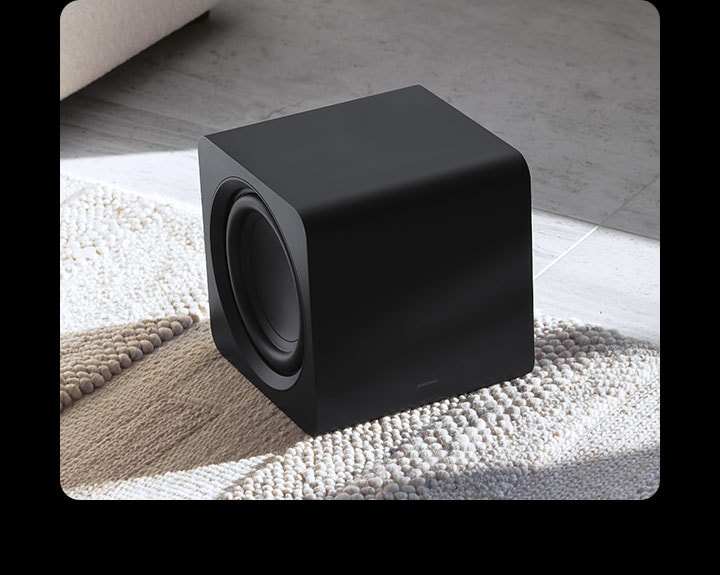
New Subwoofer
Get richer bass with our new, smaller subwoofer. It blends discreetly into your home without compromising performance.

Wireless Dolby Atmos
Built-in cinematic sound
Surround yourself in ultimate 3D sound. With Dolby Atmos wirelessly integrated into your soundbar, you can hear every distinct beat and pulse above and around you, just like the movies.


Key features at a glance - Wireless Dolby Atmos


* Wireless Dolby Atmos transmission via Wi-Fi, works with 2022-2025 Samsung TVs. Dolby Atmos source content required.
Q-Symphony
TV and Soundbar orchestrated in harmony
With Q-Symphony, AI separates voice and background sounds for playback through the optimal channel. Now you get crisper dialog and more immersive 3D surround sound, playing through your TV speakers and soundbar in complete synergy.


Key features at a glance - Q-Symphony


* Q-Symphony requires a compatible 2022-2025 Samsung TV (BU8000 and above for 2022 models, CU7000 and above for 2023 models, DU7000 and above for 2024 models, U8000F and above for 2025 models, and 2022-2025 models of The Frame).
SpaceFit Sound Pro
Sound calibrated for your space to perfection
Enjoy stunning sound that's tuned to your room. The soundbar analyzes the space and adjusts the audio accordingly — even optimizing bass — for maximum clarity and immersion.


Key features at a glance - SpaceFit Sound Pro
Active Voice Amplifier (AVA) Pro
Catch each word without distractionsCatch each word, even in distracting environments. AVA Pro enhances voice audio based on background noise around you and in the content you’re watching, so you can follow conversations without rewinding.


A woman is watching TV, which has a soundbar installed directly underneath. The soundbar has an audio bar indicating the level of volume. A robot vacuum cleaner rolls into the room, giving off distracting noise indicated by lighting bolts. In response, the soundbar plays at a louder volume, with the audio bar giving off greater activity.
Adaptive Sound
Sound optimized for each sceneGet the optimal listening experience for each scene. Your soundbar recognizes the type of content you’re watching and automatically adapts audio settings to produce clear voices and detailed sounds.


A TV cycles through different scenes, including a chat between two women, a sports game, a music-related scene and a cinematic shot of a spaceship taking off. With each scene, the soundbar installed underneath the TV plays a different level of volume, indicated by a fluctuating audio bar.
Game Pro mode
Be a part of the game with dynamic soundDive straight into the gaming action in vibrant 3D sound. Your soundbar automatically adjusts the audio when it detects a console connected to your Samsung TV — also optimizing for the type of game when playing via Samsung TV's Gaming Hub.


* Sound optimization in Samsung Gaming Hub may vary by region and TV model.* Game console sold separately. Compatible devices may vary.
Moderate Bass
Enjoy rich bass, even at nightYour soundbar is designed to consistently deliver powerful bass. Even when the subwoofer is muted, the main soundbar still provides rich bass for your viewing pleasure.


Wireless Surround Sound Compatible
Expand your surround sound and get more featuresThe Wireless Rear Speaker Kit lets you expand your soundbar to a surround sound system for an enhanced cinematic experience. Plus, you can enjoy more sound modes with rear speakers, like Private Rear Sound and Sound Grouping.


A man watches TV. A soundbar and rear speakers give off sound waves of various types, traveling in different directions.


* Samsung Wireless Rear Speaker Kit (SWA-9500S) sold separately and requires power cords to connect to right and left rear speakers.
Voice Assistant & Music Streaming
More ways to play your favorite soundControl your soundbar with your voice by using a Google Assistant-enabled device.You can also use Google Cast or Spotify Connect for streaming audio content, including the songs you love. Or you can use AirPlay, so you can enjoy your favorite music or podcasts directly from your iPhone or iPad.


HDMI eARC
Sound quality delivered seamlesslyYour soundbar features HDMI eARC technology, allowing smooth sound delivery from your TV and its connected devices. Now you can enjoy 3D surround sound formats like Dolby Atmos in high quality.


77″ OLED S95F 4K Samsung Vision AI Smart TV (2025) QA77S95FAKXXM (Whatsapp:010-7166281)
Features
Enrich your experience with Samsung Vision AI


In a dim room, the words Samsung Vision AI is accompanied by the Samsung AI logo. A TV turns on to display a bright abstract blue landscape with a yellow tinge.
Key features at a glance


Companion that enriches your life


A smarter voice assistant
Bixby
With updated intelligence, Bixby in your Samsung AI TV is the perfect center of your AI home. It can process multiple commands at once, and it's better at grasping the wider context. Enjoy smoother conversations, easier searches, more intuitive reactions and seamless device control.1


Our most advanced AI-powered 4K processor
NQ4 AI Gen3 Processor
Powered by 128 AI neural networks, this AI processor enhances your picture and sound to superb heights. Enjoy the best 4K TV experience, whether you're streaming OTT services, playing your favorite video games or watching live sports.


Samsung NQ4 AI Gen3 Processor chip descends on the TV's main board and lights up with waves of power surging from the chip to the rest of the TV.


Boost shows and movies to 4K resolution
4K AI Upscaling Pro
Watch your favorite content in more brilliant detail. Our AI processor can take your content and enhance it up to 4K resolution with 128 AI neural networks — all while maintaining incredibly sharp and smooth picture quality.


Picture Quality


Watch clearly without distracting reflections
Glare Free
Our anti-glare technology minimizes reflections from bright environments, such as indoor lighting. Now you can view your screen clearly, without distracting shine getting in the way of your content.4


More powerful brightness and richer contrast
OLED HDR Pro
Experience brilliant viewing with brighter brights and darker darks. Our AI processor analyzes each scene to dynamically tone map for contrast and boost for brightness. The result is an incredibly powerful screen that brings every little detail to life.


A dimly lit building in "SDR" quality is transformed by "OLED HDR Pro" technology to reveal bright highlights and hidden details that make the intricate design of the building come to life.
More about Picture Quality


Deep blacks, clean whites and lively colors
OLED
Samsung’s unique OLED expresses deep blacks, clean whites and a full range of lively colors. With cutting-edge self-illuminating pixels, what you see is a picture that's pure, bright and more accurate than ever before.


83″ OLED S95F 4K Samsung Vision AI Smart TV (2025) QA83S95FAEXXM (Whatsapp ; 010-7166281)
Highlights

NQ4 AI Gen3 Processor
Our most advanced AI-powered 4K processor

Glare Free
Watch clearly without distracting reflections

OLED HDR Pro
More powerful brightness and richer contrast

Motion Xcelerator 165Hz
Get ultra-smooth motion for games up to 165Hz
Features
Enrich your experience with Samsung Vision AI
In a dim room, the words Samsung Vision AI is accompanied by the Samsung AI logo. A TV turns on to display a bright abstract blue landscape with a yellow tinge.
Key features at a glance
Companion that enriches your life
A smarter voice assistant
Bixby
With updated intelligence, Bixby in your Samsung AI TV is the perfect center of your AI home. It can process multiple commands at once, and it's better at grasping the wider context. Enjoy smoother conversations, easier searches, more intuitive reactions and seamless device control.1
Our most advanced AI-powered 4K processor
NQ4 AI Gen3 Processor
Powered by 128 AI neural networks, this AI processor enhances your picture and sound to superb heights. Enjoy the best 4K TV experience, whether you're streaming OTT services, playing your favorite video games or watching live sports.
Samsung NQ4 AI Gen3 Processor chip descends on the TV's main board and lights up with waves of power surging from the chip to the rest of the TV.
Boost shows and movies to 4K resolution
4K AI Upscaling Pro
Watch your favorite content in more brilliant detail. Our AI processor can take your content and enhance it up to 4K resolution with 128 AI neural networks — all while maintaining incredibly sharp and smooth picture quality.


Image of a little girl kissing a puppy. The Samsung NQ4 AI Gen3 Processor appears on the photo and enhances several details, including the girl’s hair and clothes and the puppy’s face. The result is a much sharper image where subtle details are visible.
Picture Quality


Watch clearly without distracting reflections
Glare Free
Our anti-glare technology minimizes reflections from bright environments, such as indoor lighting. Now you can view your screen clearly, without distracting shine getting in the way of your content.4
More powerful brightness and richer contrast
OLED HDR Pro
Experience brilliant viewing with brighter brights and darker darks. Our AI processor analyzes each scene to dynamically tone map for contrast and boost for brightness. The result is an incredibly powerful screen that brings every little detail to life.
A dimly lit building in "SDR" quality is transformed by "OLED HDR Pro" technology to reveal bright highlights and hidden details that make the intricate design of the building come to life.
More about Picture Quality

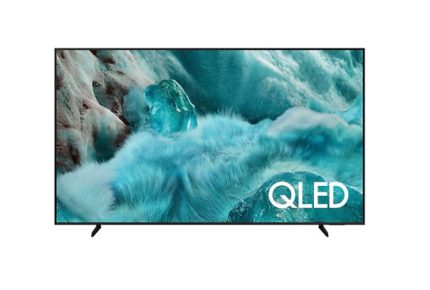
65″ QLED Q7F 4K Samsung Vision AI Smart TV (2025) QA65Q7FAAKXXM(Whatsapp : 010-7166281)
Features
Enjoy your endless entertainment with Samsung Vision AI


The words Samsung Vision AI is accompanied by the Samsung AI logo. Nearby, a TV turns on to display a blue landscape.
Key features at a glance


Companion that enriches your life


A smarter voice assistant
Bixby
With updated intelligence, Bixby in your Samsung AI TV is the perfect center of your AI home. It can process multiple commands at once, and it's better at grasping the wider context. Enjoy smoother conversations, easier searches, more intuitive reactions and seamless device control.
* Voice commands and multi turn is supported for 10 languages (US/UK/IN(en)/DE/FR/IT/ES/BR/MX/KR).* Not all accents, dialects and expressions recognized.* Q8F and above support far-field mics. Q7F and above support TV remotes. U8000F needs a SmartThings mobile remote.


Feel the power of AI in 4K
Q4 AI Processor
Samsung’s AI processor helps optimize any viewing and sound experience for 4K TVs.


The Samsung Q4 AI Processor chip descends on the TV's main board and lights up with waves of power surging from the chip to the rest of the TV.
Picture Quality


A billion shades of color
100% Color Volume with Quantum Dot
Real Quantum Dot technology delivers our finest picture ever. With Color Volume 100%, Quantum Dot takes light and turns it into breathtaking colors that stay true at various level of brightness.


A scene of a woman in a pool spitting out water. Logo reads VDE 01/2025 Tested Color Volume 100% acc. to DCI-P3. www.VDEinfo.com. ID 40059611. Tested by VDE Germany. Another logo is made of stacked color wheels that represent Brightness. The color wheels grow in size to represent 100% Color Volume. As it does, the scene of the woman in the pool grows brighter and more vivid.
More about Picture Quality


Intelligently enhanced color expression
Color Booster Pro
AI recognizes each scene and enhances color expression accordingly, so your viewing experience becomes more vivid and dynamic.


Gaming Experience


75″ QLED Q7F 4K Samsung Vision AI Smart TV (2025) QA75Q7FAAKXXM (Whatsapp ; 010-7166281)
Features
Enjoy your endless entertainment with Samsung Vision AI
The words Samsung Vision AI is accompanied by the Samsung AI logo. Nearby, a TV turns on to display a blue landscape.
Key features at a glance
Companion that enriches your life
A smarter voice assistant
Bixby
With updated intelligence, Bixby in your Samsung AI TV is the perfect center of your AI home. It can process multiple commands at once, and it's better at grasping the wider context. Enjoy smoother conversations, easier searches, more intuitive reactions and seamless device control.
* Voice commands and multi turn is supported for 10 languages (US/UK/IN(en)/DE/FR/IT/ES/BR/MX/KR).* Not all accents, dialects and expressions recognized.* Q8F and above support far-field mics. Q7F and above support TV remotes. U8000F needs a SmartThings mobile remote.Feel the power of AI in 4K
Q4 AI Processor
Samsung’s AI processor helps optimize any viewing and sound experience for 4K TVs.
The Samsung Q4 AI Processor chip descends on the TV's main board and lights up with waves of power surging from the chip to the rest of the TV.
Picture Quality
A billion shades of color
100% Color Volume with Quantum Dot
Real Quantum Dot technology delivers our finest picture ever. With Color Volume 100%, Quantum Dot takes light and turns it into breathtaking colors that stay true at various level of brightness.
A scene of a woman in a pool spitting out water. Logo reads VDE 01/2025 Tested Color Volume 100% acc. to DCI-P3. www.VDEinfo.com. ID 40059611. Tested by VDE Germany. Another logo is made of stacked color wheels that represent Brightness. The color wheels grow in size to represent 100% Color Volume. As it does, the scene of the woman in the pool grows brighter and more vivid.
More about Picture Quality
Intelligently enhanced color expression
Color Booster Pro
AI recognizes each scene and enhances color expression accordingly, so your viewing experience becomes more vivid and dynamic.
Gaming Experience
85″ QLED Q7F 4K Samsung Vision AI Smart TV (2025) QA85Q7FAAKXXM (Whatsapp:010-7166281)
Features
Enjoy your endless entertainment with Samsung Vision AI
The words Samsung Vision AI is accompanied by the Samsung AI logo. Nearby, a TV turns on to display a blue landscape.
Key features at a glance
Companion that enriches your life
A smarter voice assistant
Bixby
With updated intelligence, Bixby in your Samsung AI TV is the perfect center of your AI home. It can process multiple commands at once, and it's better at grasping the wider context. Enjoy smoother conversations, easier searches, more intuitive reactions and seamless device control.
* Voice commands and multi turn is supported for 10 languages (US/UK/IN(en)/DE/FR/IT/ES/BR/MX/KR).* Not all accents, dialects and expressions recognized.* Q8F and above support far-field mics. Q7F and above support TV remotes. U8000F needs a SmartThings mobile remote.Feel the power of AI in 4K
Q4 AI Processor
Samsung’s AI processor helps optimize any viewing and sound experience for 4K TVs.
The Samsung Q4 AI Processor chip descends on the TV's main board and lights up with waves of power surging from the chip to the rest of the TV.
Picture Quality
A billion shades of color
100% Color Volume with Quantum Dot
Real Quantum Dot technology delivers our finest picture ever. With Color Volume 100%, Quantum Dot takes light and turns it into breathtaking colors that stay true at various level of brightness.
A scene of a woman in a pool spitting out water. Logo reads VDE 01/2025 Tested Color Volume 100% acc. to DCI-P3. www.VDEinfo.com. ID 40059611. Tested by VDE Germany. Another logo is made of stacked color wheels that represent Brightness. The color wheels grow in size to represent 100% Color Volume. As it does, the scene of the woman in the pool grows brighter and more vivid.
More about Picture Quality
Intelligently enhanced color expression
Color Booster Pro
AI recognizes each scene and enhances color expression accordingly, so your viewing experience becomes more vivid and dynamic.
Gaming Experience

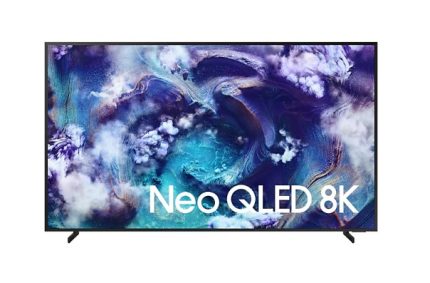
85″ Neo QLED QN900F 8K Samsung Vision AI Smart TV (2025) QA85QN900FKXXM(Whatsapp ; 010-7166281)
Features
It’s your show with Samsung Vision AI


The words Samsung Vision AI is accompanied by the Samsung AI logo. Nearby, a TV turns on to display a blue landscape.
Key features at a glance


Companion that enriches your life


A smarter voice assistant
Bixby
With updated intelligence, Bixby in your Samsung AI TV is the perfect center of your AI home. It can process multiple commands at once, and it's better at grasping the wider context. Enjoy smoother conversations, easier searches, more intuitive reactions and seamless device control.1


AI-powered 8K experience for your content
NQ8 AI Gen2 Processor
Powered by 256 AI neural networks, this AI processor enhances your picture and sound to brilliant heights. Enjoy the optimal 8K TV experience, whether you're streaming OTT services, playing your favorite video games or watching live sports.


Samsung NQ8 AI Gen2 Processor chip descends on the TV's main board and lights up with waves of power surging from the chip to the rest of the TV.


Boost shows and movies into an 8K experience
8K AI Upscaling
Watch your favorite content in stunningly realistic detail. Our AI processor takes content and enhances it up to 8K resolution with 256 AI neural networks — enabling sharp, smooth picture quality that makes the details come alive.


A slightly grainy scene of three people laughing outside. Samsung NQ8 AI Gen2 Processor appears on screen. It detects several different points on screen and clears them up. Then it clears up the entire screen, so the scene looks sharp and detailed.
Picture Quality
Watch clearly without distracting reflections
Glare Free
Our anti-glare technology minimizes reflections from bright environments, such as indoor lighting. Now you can view your screen clearly, without distracting shine getting in the way of your content.5


Ultra-fine contrast that brings out every detail in 8K
Quantum Matrix Technology Pro
See more in both the brightest and darkest scenes. Our backlight has precise dimming control over Quantum Mini LEDs, which provide 1.5x more lighting zones than regular Quantum Matrix Technology. This enables ultra-fine contrast that highlights all the details.


More about Picture Quality


75″ Neo QLED QN900F 8K Samsung Vision AI Smart TV (2025) QA75QN900FKXXM (Whatsapp : 010-7166281)
Highlights

8K AI Upscaling
Boost shows and movies into an 8K experience

Glare Free
Glare Free

Art Store
Find world-famous galleries in your TV

Metal Frame Design
Blends seamlessly into your home
Features
It’s your show with Samsung Vision AI
The words Samsung Vision AI is accompanied by the Samsung AI logo. Nearby, a TV turns on to display a blue landscape.
Key features at a glance
Companion that enriches your life
A smarter voice assistant
Bixby
With updated intelligence, Bixby in your Samsung AI TV is the perfect center of your AI home. It can process multiple commands at once, and it's better at grasping the wider context. Enjoy smoother conversations, easier searches, more intuitive reactions and seamless device control.1
AI-powered 8K experience for your content
NQ8 AI Gen2 Processor
Powered by 256 AI neural networks, this AI processor enhances your picture and sound to brilliant heights. Enjoy the optimal 8K TV experience, whether you're streaming OTT services, playing your favorite video games or watching live sports.
Samsung NQ8 AI Gen2 Processor chip descends on the TV's main board and lights up with waves of power surging from the chip to the rest of the TV.
Boost shows and movies into an 8K experience
8K AI Upscaling
Watch your favorite content in stunningly realistic detail. Our AI processor takes content and enhances it up to 8K resolution with 256 AI neural networks — enabling sharp, smooth picture quality that makes the details come alive.
A slightly grainy scene of three people laughing outside. Samsung NQ8 AI Gen2 Processor appears on screen. It detects several different points on screen and clears them up. Then it clears up the entire screen, so the scene looks sharp and detailed.
Picture Quality
Watch clearly without distracting reflections
Glare Free
Our anti-glare technology minimizes reflections from bright environments, such as indoor lighting. Now you can view your screen clearly, without distracting shine getting in the way of your content.5
Ultra-fine contrast that brings out every detail in 8K
Quantum Matrix Technology Pro
See more in both the brightest and darkest scenes. Our backlight has precise dimming control over Quantum Mini LEDs, which provide 1.5x more lighting zones than regular Quantum Matrix Technology. This enables ultra-fine contrast that highlights all the details.





No account yet?
Create an Account